
 EN
 FR
 ES
 PT
 AR
 RU
 KO
 JA
 DE
 NL
 VI
 BG
 HR
 CS
 DA
 FI
 EL
 HI
 IT
 NO
 PL
 RO
 SV
 TL
 IW
 ID
 LT
 SR
 SK
 HU
 TH
 TR
 FA
 GA
 CY
 IS
 HY
 LA
 UK
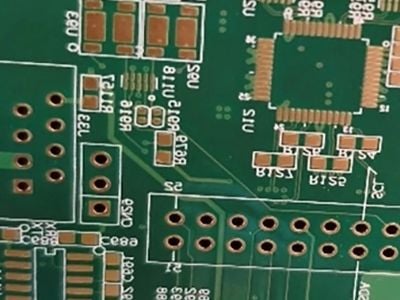
When ordering printed circuit boards (PCBs), one critical aspect that can significantly affect the overall quality and functionality of your product is the Gerber file. Understanding how to avoid common pcb circuit board file errors before ordering is essential for purchasing managers, engineers, and product managers alike. This article will guide you through identifying potential errors, verifying key specifications, and ensuring high-quality Gerber files, ultimately supporting better purchasing decisions.
How to Identify Common PCB Gerber File Errors Before Ordering
Errors in Gerber files can lead to significant production delays and increased costs. Common mistakes include missing layers, incorrect dimensions, and improper drill specifications. Before placing an order, it's crucial to conduct a thorough review of the Gerber files.
One effective method is to use Gerber viewers available online or as software applications. These tools allow you to visualize the PCB layout and ensure that all layers are present and correctly aligned. Look for discrepancies such as misaligned pads or traces that don't match your specifications. Also, confirm that the drill files correspond correctly to your design; mismatched drill sizes can lead to functionality issues during assembly.
Key Specifications to Verify in Your PCB Gerber Files
When reviewing Gerber files, certain specifications are critical to ensuring successful production. Key specifications to verify include:
Layer Stack-Up: Ensure all necessary layers (such as signal, power, and ground planes) are included and properly ordered.
Copper Thickness: Verify the copper weight specified (measured in ounces) to ensure it meets your current-carrying requirements.
Board Dimensions: Check that the electronic pcb board dimensions match your design files. An error here can lead to fitting issues.
Drill Sizes and Types: Confirm that all vias and holes are specified correctly, including plated and non-plated holes.
Silkscreen and Solder Mask: Ensure that the silkscreen layer does not overlap with pads and that the solder mask specifications are accurate for both the top and bottom layers.
By methodically verifying these specifications, you can mitigate the risk of errors that could result in costly reworks.
Common PCB Gerber File Problems and Effective Solutions
Several common issues can arise from Gerber files, and recognizing them early can save time and resources:
Missing or Duplicate Layers: Sometimes, files may inadvertently have missing or duplicated layers. Always cross-reference your design files with what is present in the Gerber output.
Inconsistent Units: Ensure that all measurements are in the same units (inches or millimeters). Inconsistencies can lead to misinterpretations during manufacturing.
Improper Clearance: Verify that there is adequate spacing between traces and pads. Insufficient clearance can result in short circuits or manufacturing defects.
To address these issues, maintaining close communication with your PCB manufacturer is essential. At Suzhou Engine Electronic Technology Co., Ltd., we recommend requesting a DFM (Design for Manufacturing) review, which can help identify potential issues before production begins.
How to Choose the Right PCB Gerber File Format for Your Order
The choice of Gerber file format can significantly impact the manufacturing process. The most commonly accepted formats are Gerber X2 and RS-274X.
Gerber X2 is recommended for its enhanced capabilities, as it includes additional information, such as layer definitions and attributes, which can facilitate more accurate manufacturing processes. On the other hand, RS-274X is widely compatible but may lack some of the advanced features found in X2.
When placing an order, always check with your manufacturer regarding their preferred file format. Using the correct format can streamline the production process and minimize the risk of errors.
Ensuring Quality in Gerber Files
Quality assurance in PCB manufacturing begins with precise and accurate Gerber files. Here are several practices to ensure high-quality outputs:
File Validation: Use validation tools to check Gerber files for errors before submission. This process can help identify issues such as overlapping traces or incorrect drill sizes.
Sample Approval: Before moving to mass production, request a prototype or sample run. This step allows you to inspect the actual product against your design specifications, ensuring everything functions as intended.
Collaboration with the Manufacturer: Engage in open communication with your PCB manufacturer. Discussing your design's specific requirements and any potential issues early can lead to solutions that enhance quality and reduce errors.
By implementing these practices, you can ensure that your Gerber files meet the necessary standards for high-quality PCB production, thus minimizing the risk of delays and additional costs.
In summary, attention to detail in the Gerber file preparation process is crucial for successful PCB manufacturing. By identifying common errors, verifying key specifications, and ensuring quality through collaboration and validation, you can significantly improve your purchasing outcomes and product reliability.